
Inside the Source Factory: Plate-Free Digital Printers Make Small Box Orders Truly Cost-Effective
Corrugated box printing used to mean one thing: expensive plates, long lead times, and minimum order quantities that locked small brands out of custom packaging. That rule no longer holds. A new generation of plate-free digital box printing machines has turned short-run corrugated printing into a practical, profitable option for box plants, packaging workshops, and even first-time equipment buyers.
This guide answers the twelve questions buyers ask most often when evaluating a digital corrugated carton printer — from print quality and running speed to maintenance costs and machine lifespan. If you are weighing a one-pass digital printer for your factory, read through before you spend a single dollar on equipment.
Ruisheng ONE-PASS series at a glance
| Specification |
Ruisheng ONE-PASS series |
| Print resolution |
Up to 1200 DPI |
| High-speed mode |
30–70 m/min |
| Scanning mode |
1000–1200 m²/h |
| Color output |
CMYK four-color + gradients |
| Material height range |
3–40 mm |
| Available models |
1800 mm / 2500 mm widths |
| Power requirements |
380V industrial supply, 2.2 kW blower |
| Machine weight (2500 model) |
4000 kg |
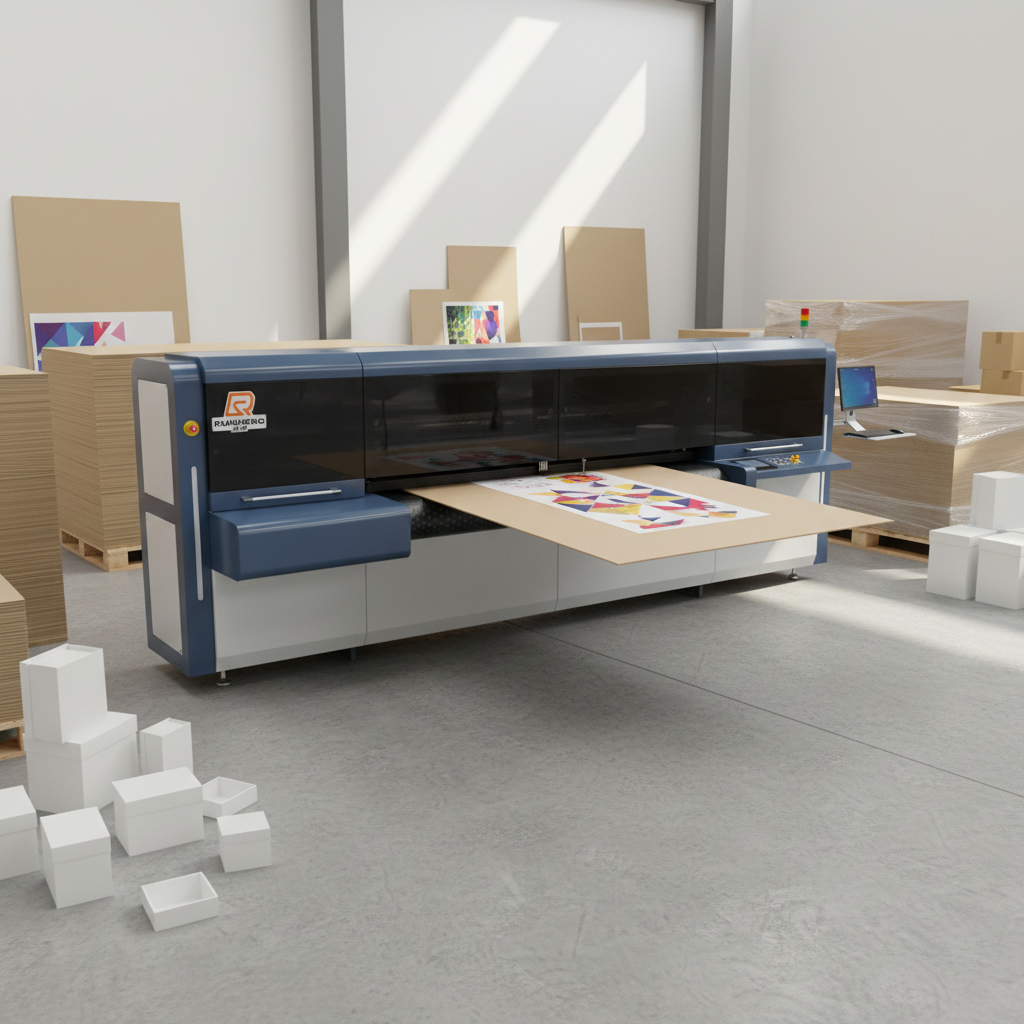
1. Digital Box Printing vs. Traditional Plate Printing: What’s Really Different?
The difference comes down to one sentence: digital printing needs no plates, while conventional printing cannot run without them. In a traditional workflow, a printing plate must be made before any production starts, and that step costs both money and time. Because the plate expense is fixed, the fewer boxes in an order, the higher the cost per unit. A typical sample or proofing job can carry a plate fee of one to two hundred yuan (roughly $15–$30) before a single box is even printed. A digital corrugated box printing machine skips this stage entirely — the file drives the device directly, with no plate, no registration setup, and no color-separation wait.
Modern plate-free units such as the Ruisheng One-Pass series use a single-pass printhead architecture: all colors are laid down in one pass of the paper, so multi-color jobs never need repeated registration runs. The machines accept common file formats — TIFF, PDF, and EPS among them — and output them directly, which makes job switching dramatically faster than any plate-based workflow.
2. Do You Really Need a One-Pass Digital Printer?
If small orders, scattered jobs, and samples are taking a growing share of your order book, then yes — it is worth serious consideration. The packaging industry is fragmenting. E-commerce fitting boxes, agricultural produce packaging, and gift boxes for local specialties arrive in small batches, high variety, and tight deadlines — exactly the combination that plate-based lines struggle to handle. According to the equipment spec sheet, mainstream one-pass machines print from a single box (a genuine one-sheet start), accept orders as they come, and switch jobs automatically with no repeated machine setup or plate alignment. Lower your minimum-order threshold, and orders you previously turned away become profitable work.
The honest caveat: if your business still runs on stable, high-volume orders, a traditional line will keep serving you fine. But the moment small-batch demand appears on the horizon, this is the opening worth cutting into.
3. How Practical Is a Corrugated Digital Printer for Daily Production?
Practical — provided your definition of “practical” matches your current order mix. Digital printing was never meant to replace an entire conventional production line. Its job is to add the short-run capability that traditional equipment cannot deliver. Field data for the Ruisheng ONE-PASS series shows a high-speed mode of 30–70 meters per minute and a scanning mode of 1000–1200 square meters per hour, with print resolution up to 1200 DPI. The machines output CMYK four-color work plus gradient printing, and they handle kraft paper, honeycomb board, high-strength board, white-lined board, CCNB, coated paper, and solid bleached board.
Board transport relies on belt suction feed — a vacuum belt that holds the board flat and stable while it moves — which sharply reduces skew and jams. The practical takeaway: urgent odd jobs get accepted, full-color graphics print cleanly, and new operators can learn the machine quickly.
4. How Long Does an Industrial Digital Printing Machine Last?
With routine maintenance, five years or more of service is the normal industry expectation — with printheads treated as consumables on top of that. The main frame is a metal structural chassis with drive components engineered for long continuous operation. The Ruisheng ONE-PASS 2500, for example, weighs 4000 kg — an industrial-grade build, not a light office device. Printheads are independent consumables whose service life depends heavily on the ink environment and care habits. The warranty structure reflects this split: one year on the whole machine and twelve months specifically on printheads, which tells you the manufacturer itself distinguishes between frame longevity and head longevity.
To make a machine last, the priority is not buying the most expensive unit. It is keeping the environment as dust-free as possible, using the matching ink system, and following the maintenance schedule to the letter.
5. How to Tell a Good One-Pass Digital Printer from a Poor One?
Judge on five indicators — resolution, speed, feed stability, ink compatibility, and after-sales support. Here is what to check at each one:
- • Print resolution (DPI). This determines sharpness; 1200 DPI is the current mainstream level for mature industrial machines.
- • Speed (meters per minute). A 20–70 m/min range covers everything from mid-speed to high-efficiency production.
- • Feed structure. Check whether the machine uses belt suction feed — it directly decides whether boards skew or jam.
- • Ink compatibility. Confirm that both water-based dye and water-based pigment inks are supported. Water-based inks are emission-free and friendlier to the workshop environment.
- • After-sales. Verify the whole-machine warranty period, the printhead warranty policy, and whether on-site installation and operator training are included.
A machine that clears all five dimensions is, by definition, not an entry-level product.
6. Is Wider Print Width Always Better?
No. Print width should match the opened dimensions of the boxes you actually run — buying a bigger model than you need only spends money you did not have to spend. The Ruisheng ONE-PASS series comes in 1800 mm and 2500 mm models. For the 2500: single-channel width 512 mm, multi-channel width 2500 mm, automatic feed up to 2500 mm × 1350 mm, and manual feed up to 2500 mm with unlimited length. One engineering concept matters here: print width being smaller than paper-feed width is normal design, because the board edge reserves space for transport. If your factory’s boxes are concentrated in small and medium sizes, the 1800 or 2500 model will comfortably cover them.
7. Which Digital Printer Model Fits Your Box Plant?
Match three conditions at once — floor area, power supply, and order width — before anything can be installed. The equipment requires 380V industrial power, a 2.2 kW blower, and standard factory floor load-bearing. Its footprint is smaller than a conventional printing line, no complicated workshop conversion is needed, and a dust-controlled environment is recommended but not mandatory. For the Ruisheng ONE-PASS 2500, the material height range is 3–40 mm, which covers the vast majority of common board thicknesses.
Selection order: first check whether the maximum feed width covers your mainstream box sizes, then confirm the workshop can supply 380V, and finally leave loading and unloading space in the paper-feed direction. In practice, both small workshops and mid-sized packaging plants can meet these deployment conditions.
8. High-End vs. Entry-Level Digital Printers: What Actually Differs?
The real differences sit in stability, precision, feed structure, and after-sales support — not in looks or marketing language. Premium machines arrange printheads more intelligently, which keeps color consistency and registration accuracy stable across continuous shifts. Entry-level units can drift in precision after long production hours — the flaw shows up the moment speed increases. The feed system gap is even clearer: full-platform belt suction feed is standard on industrial machines, while low-end devices may rely on friction feed, which misbehaves as soon as boards get large. Leading digital printing brands also bundle mature print control software (the Montai system, for example) and on-site installation training — services that are themselves part of the machine’s real cost.
9. Is a Digital Printing Machine Hard to Operate?
Not hard — but there is a learning curve, and it lives in file handling, not mechanical operation. Ruisheng One-Pass units are highly automated: automatic pagination, one-click job switching, and flow-line automatic feeding mean a beginner can start producing after brief training. The spec sheet lists BMP, JPEG, TIFF, PDF, and EPS as direct-output formats. Your actual work happens in the print control software — layout, color adjustment, and print parameter setup. The part that truly takes time is color management and tuning for how different boards absorb ink, and both are covered in the manufacturer’s hands-on training. In other words, the staffing pressure shifts from “can you operate a press” to “can you run a computer.”
10. Will Corrugated Boards Jam or Shift During Printing?
Every machine can jam — the real difference is how often it happens and how much a jam costs to fix. Industrial machines use belt suction feed, where negative pressure holds the board against the conveyor belt. This transport is far more stable than ordinary friction feed, and it is the key design that reduces skew and unplanned stops. But boards with warping, damaged edges, or moisture distortion can still cause trouble. Control incoming material quality before production, keep an eye on how boards are stacked, and clean the belt and suction holes daily — that is enough to keep jam rates low in practice. One caution from the spec sheet: material height is 3–40 mm, and forcing thicker boards through raises the risk of breakdowns.
11. How Should You Maintain a Digital Carton Printer?
Focus maintenance on three areas — printheads, the feed belt, and the ink system. Small daily upkeep costs far less than a major repair. Printheads are the core consumable. At the end of each production day, follow the procedure for pressure-holding and moisturizing; for long shutdowns, clean and seal the heads per the manufacturer’s flow to prevent dried ink lines. The transport belt and suction platform need regular cleaning of paper dust; blocked air holes weaken suction and indirectly cause skew. On the ink side, always use the matching water-based inks — never mix inks from different suppliers — and flush the ink path thoroughly before switching ink types.
For leading domestic brands, the whole machine carries a three-year warranty with three months on printheads; the first three months are the peak window for head faults, and following the manual strictly during that period filters out most usage-related problems.
12. How Stable Is a Digital Printer During Long Continuous Production?
Industrial machines are designed for continuous running, but stability is conditional on a proper environment and disciplined maintenance. Field data for the Ruisheng ONE-PASS series supports long, uninterrupted operation — high-speed mode at 30–70 m/min and scanning mode at 1000–1200 m²/h. The variables that matter most during long runs are printhead temperature, ink flow consistency, and dust buildup on transport components. The “dust-free environment is better” advice is not empty talk: box workshops generate heavy dust, and accumulation over time degrades head precision and shortens the life of electrical components.
If you plan two shifts of continuous production, put the machine in a relatively separate space and increase the cleaning frequency — continuous-run stability will be noticeably better protected.
Conclusion: Which Digital Printing Machine Should You Buy?
If you are still weighing specific scenarios — workshop renovation, order mix changes, or production-line upgrades — the professional move is a physical sample test: run your own boards through candidate machines, verify the spec sheet against real output, and then select the model that fits. The right digital box printing machine pays for itself through the small orders you can finally accept, the samples you no longer pay plate fees for, and the full-color work that used to be out of reach.
Post time: Aug-28-2026


